How Long Can Portable Power Station Run a Router?
Quick Answer
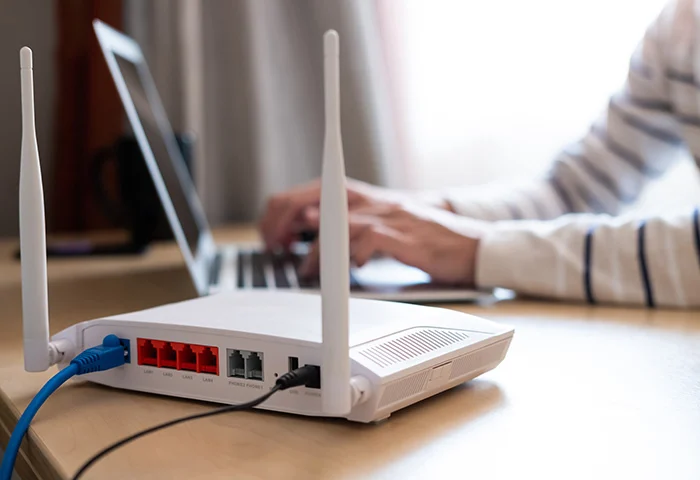
A router pulls very little continuous power, typically 5 to 20 watts, with 10 W a reasonable planning average for a standalone home router. Because of that small load, even a compact power station can keep a router running for a long time, but the output path matters more than the battery size.
Running the router through the station’s AC inverter adds a fixed idle overhead of roughly 5 to 20 W just to keep the inverter awake, which can double the effective load on a 10 W device. Running the same router from the station’s regulated 12V DC output (where the connector, voltage, and polarity match) skips the inverter entirely and can extend runtime by 60 to 100 percent compared with the AC path.
For a 300 Wh power station running a 10 W router: about 12.8 hours through the AC outlet, versus about 27 hours from a matching 12V DC output, using the assumptions detailed below.
Why This Question Is Different From Running a TV or a Fridge
Most portable power station runtime questions are about heavy, short-duration loads: a television for an evening, a refrigerator compressor cycling on and off, a set of power tools. A router is the opposite case. It draws a small, nearly constant load, often for the entire duration of an outage. That changes which factors actually matter. Compressor start-up surge and inverter peak capacity are irrelevant for a router. What matters instead is the overhead the power station itself adds on top of a small load, and whether that overhead is proportionally large enough to change the practical answer.
This is also a genuinely common backup power scenario. Keeping a router, modem, or fiber ONT alive during a grid outage preserves internet access for a phone, a laptop, or a security camera system long after the outage itself would otherwise cut connectivity. The calculation is simple in principle but easy to get wrong in a way that costs several hours of unnecessary downtime, mainly by ignoring the inverter’s own overhead.
How Much Power Does a Router Actually Use?
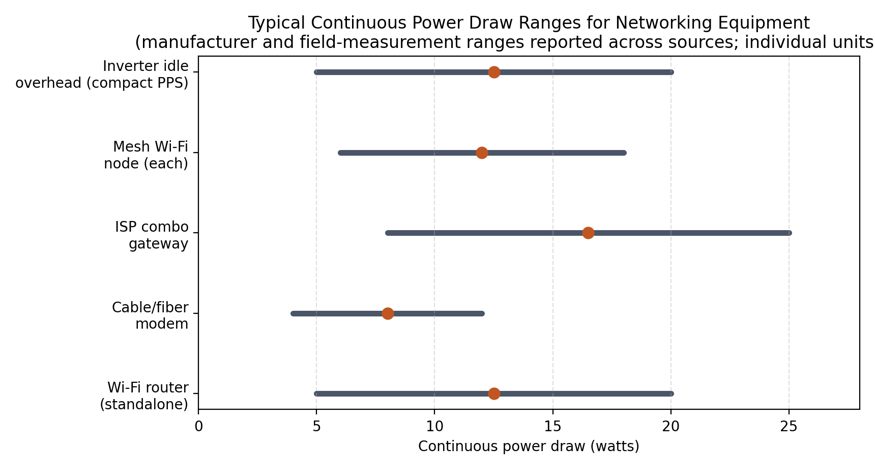
The most rigorous public data on this comes from a lab-measured study of 60 network devices conducted by Ecova for the Natural Resources Defense Council, in collaboration with Lawrence Berkeley National Laboratory, using a simplified version of the U.S. EPA’s ENERGY STAR test method. That study measured standalone routers between roughly 1.7 W and 10.0 W in continuous operation, cable and DSL modems between about 3.5 W and 7.8 W, combined modem-router gateways between about 5.2 W and 11.2 W, and fiber optical network terminals (ONTs) noticeably higher, around 14 to 18 W, since an ONT is effectively always transmitting.
Those measurements are from older single- and dual-band hardware. Current consumer routers, particularly tri-band and Wi-Fi 6E models running two or three radios simultaneously, commonly draw more, with manufacturer adapter ratings and independent measurement roundups placing typical modern routers in the 8 to 20 W range. The U.S. EPA’s ENERGY STAR Small Network Equipment program certifies lower-power models against this same category and is a useful reference point when shopping for a more efficient router.
- Standalone Wi-Fi router: roughly 5 to 20 W; 10 W is a reasonable mid-range planning figure for a modern dual-band or tri-band unit.
- Cable or DSL modem: roughly 4 to 8 W based on measured data.
- Combined ISP gateway (modem and router in one unit): roughly 5 to 12 W measured, since one processor and one radio section replace two separate devices.
- Fiber ONT: roughly 14 to 18 W measured, the highest-draw item in a typical home network closet.
- Each additional mesh Wi-Fi node: approximately 6 to 18 W per unit, depending on radio count and whether it has a cooling fan.
The exact number for a specific unit depends on the model, the number of connected clients, and how much data is moving through it, though most consumer routers change relatively little between idle and busy states compared with a CPU or a space heater. Where the adapter’s printed rating is available, use it. Where it is not, 10 W is a reasonable and slightly conservative default for a single standalone router.
A router’s power supply is a fixed-output DC adapter, not a variable or high-surge load. This is one of the simplest devices to plan around in backup power work: there is no meaningful startup surge to size an inverter for, unlike a compressor or a motor. That means the entire calculation hinges on continuous draw, run time required, and the efficiency of the path delivering the power, which is where most of the real-world variation comes from.
The Path Matters More Than the Battery Size: AC Output vs 12V DC Output
Most portable power stations offer at least two ways to power a small DC device like a router: through the built-in AC inverter (the same wall-style outlets used for lamps and laptops), or through a regulated 12V DC output, commonly a car-style cigarette lighter socket or a barrel connector such as DC5521. Several manufacturers explicitly document the 12V DC output as suitable for routers and similar low-voltage electronics precisely because it avoids inverter losses.
The AC Path
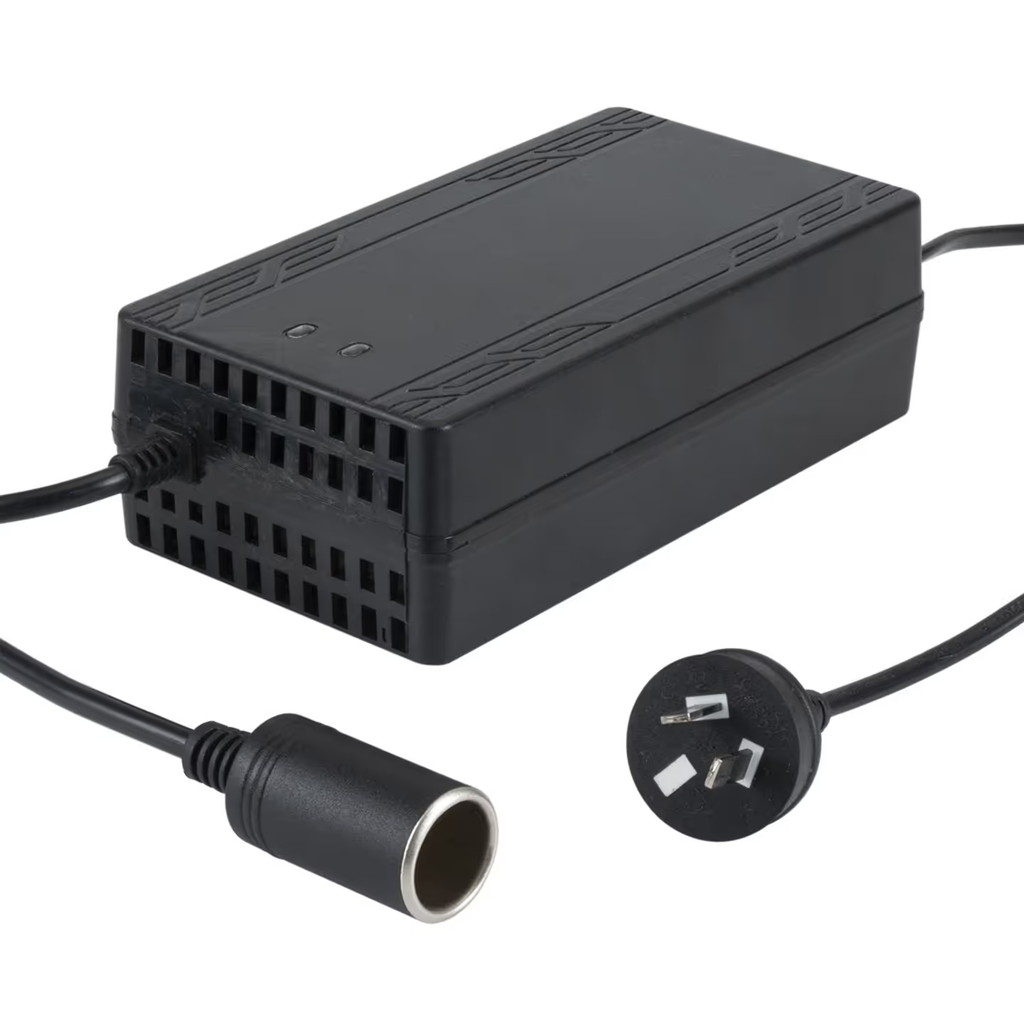
Delivering AC power means the station’s internal inverter converts the battery’s DC voltage into 120V or 230V AC continuously, even though the router’s own power adapter is simply going to convert that AC voltage straight back down to a low DC voltage inside the adapter brick. This round trip costs energy in two ways. First, inverter conversion efficiency is well below 100 percent, commonly modeled site-wide at roughly 85 percent for a typical operating point. Second, and more significant for a load this small, keeping the inverter active at all draws a fixed idle overhead, independent of the connected load.
Manufacturer-published figures illustrate the range: Anker states a 9 W idle draw for its SOLIX C2000 Gen 2 as a headline efficiency feature, while owners of other brands’ larger units report idle draws in the 12 to 25 W range in independent forum discussion of standby consumption across portable power station brands. On a 1500 W-rated power station running a heater, that overhead is a rounding error. On a 10 W router, it can be larger than the load itself.
The 12V DC Path
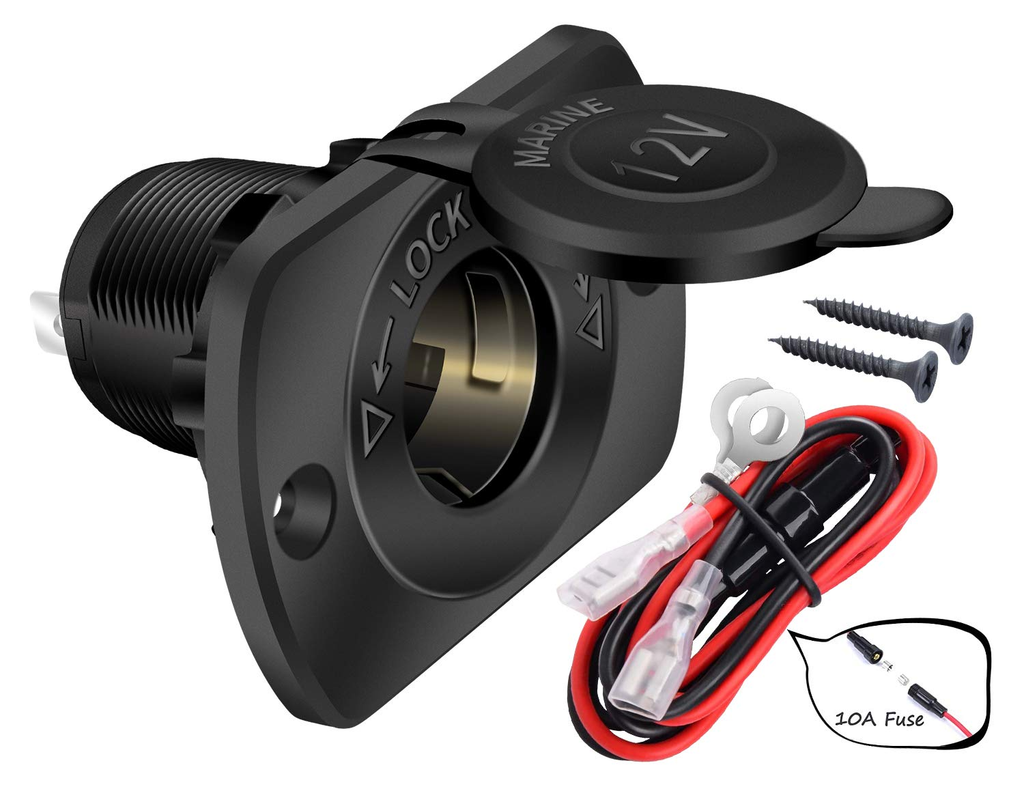
If the router’s adapter accepts 12V DC (many do, since 12V is a common wall-adapter output voltage for consumer routers) and the power station’s DC output uses a compatible connector, voltage, and polarity, the router can be powered directly from the battery’s DC bus without engaging the inverter at all.
EcoFlow’s own product documentation makes this trade-off explicit, noting that some mobile Wi-Fi routers accept DC5521 or DC5525 input directly, and using that connection avoids the energy loss from DC-to-AC inversion entirely. This eliminates both the conversion loss and the idle overhead. The only meaningful loss remaining is the battery’s own depth of discharge limit, since a portion of rated capacity is reserved by the battery management system and is not usable regardless of output path.
The trade-off is compatibility risk rather than efficiency risk. Barrel connectors that look identical can differ in physical size, center-pin diameter, and polarity. A mismatched cable can, at best, simply fail to deliver power, and at worst, damage the router. Before wiring a router to a DC output, the connector type, voltage, current rating, and polarity of both the power station’s port and the router’s original power adapter should be checked and matched, ideally using a cable rated for the exact connector on both ends rather than an improvised adapter.
How to Calculate Router Runtime
This follows the same usable-energy framework used across Sielectronix runtime calculations, laid out in full in how to calculate portable power station runtime, applied here to both output paths.
Step 1: Establish the Load
Use the router’s rated adapter wattage, or 10 W as a reasonable default when the rating is unknown. If a modem or additional mesh nodes will run from the same station, add their wattage to get a combined continuous load. This same load-plus-path approach applies to other small continuous electronics; see the companion runtime breakdown for how long a portable power station can run a fan for a second worked example of a small, steady load.
Step 2: Establish Usable Energy for the Chosen Path
Usable energy is not the full rated capacity of the power station. A portion is reserved by the battery management system as depth of discharge margin, and the AC path additionally loses energy to inverter conversion:
- AC output: Usable Wh = Rated Wh × 0.90 (depth of discharge) × 0.85 (inverter efficiency) = Rated Wh × 0.765
- 12V DC output: Usable Wh = Rated Wh × 0.90 (depth of discharge only, no inverter stage)
Step 3: Establish the Effective Draw for the AC Path
For the AC path, add the inverter’s idle overhead to the router’s own load, since that overhead is drawn for as long as the inverter stays on, regardless of how small the connected device is. A reasonable planning figure for a compact power station is 8 W of idle overhead; larger, higher-wattage-rated units commonly run higher, up to 20 W. Check the unit’s specification sheet for a stated no-load AC consumption figure where available.
Step 4: Divide Usable Energy by Effective Load
Runtime (hours) = Usable Wh ÷ Effective Load (W)
Worked Example: 300 Wh Power Station, 10 W Router
- Basic theoretical figure, ignoring all losses: 300 ÷ 10 = 30 hours. This number is not realistic and should not be used for planning.
- AC path, practical: usable energy = 300 × 0.765 = 229.5 Wh. Effective load = 10 + 8 = 18 W. Runtime = 229.5 ÷ 18 ≈ 12.8 hours.
- 12V DC path: usable energy = 300 × 0.90 = 270 Wh. Runtime = 270 ÷ 10 = 27 hours.
The gap between the two paths, roughly 12.8 hours versus 27 hours from the same 300 Wh battery, is entirely explained by inverter conversion loss and idle overhead. No additional battery capacity is required to more than double the router’s runtime; the improvement comes from choosing the more efficient output path.
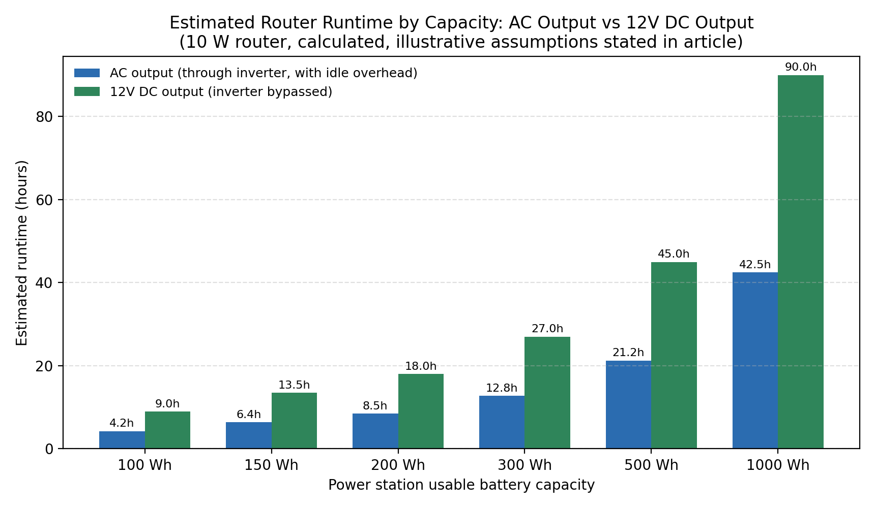
Estimated Runtime by Capacity and Load
The table below extends the same method across common power station sizes and two representative loads: a single 10 W router, and a combined 20 W load representing a router plus a modem or ONT.
| Usable Capacity | AC path, 10 W router | DC path, 10 W router | AC path, 20 W combined | DC path, 20 W combined |
| 100 Wh | 4.3 h | 9.0 h | 2.7 h | 4.5 h |
| 150 Wh | 6.4 h | 13.5 h | 4.1 h | 6.8 h |
| 200 Wh | 8.5 h | 18.0 h | 5.5 h | 9.0 h |
| 300 Wh | 12.8 h | 27.0 h | 8.2 h | 13.5 h |
| 500 Wh | 21.3 h | 45.0 h | 13.7 h | 22.5 h |
| 1000 Wh | 42.5 h | 90.0 h | 27.3 h | 45.0 h |
AC path figures include 8 W of assumed inverter idle overhead in addition to the router load. DC path figures assume a compatible 12V output with no inverter engaged. Values are calculated, not laboratory-measured, and are meant for planning rather than as a guarantee for a specific product.
Real-World Adjustments
Inverter Idle Overhead Varies by Unit
Compact power stations in the 100 to 500 Wh class commonly report 5 to 15 W of idle AC overhead. Larger units with higher-rated inverters, often 1000 W to 3000 W of continuous AC capacity, can idle at 15 to 40 W or more. A unit’s specification sheet or manual sometimes lists this directly as a no-load consumption figure; where it does not, treat 8 to 12 W as a reasonable working assumption for a small to mid-size unit and verify with a plug-in power meter if precise runtime matters.
Eco or Standby Modes Can Help, or Can Cause a Different Failure
Many power stations include an eco or power-saving mode that shuts the inverter off automatically below a minimum load threshold, then wakes it briefly to check for a returning load. This reduces idle draw substantially, but if the threshold is set above the router’s own wattage, the eco mode can shut the router off entirely rather than saving power on it. If a router is running from the AC outlet, eco mode should generally be disabled for that outlet, or the router load should be paired with something larger, or moved to the DC output instead.
Battery Aging and Temperature
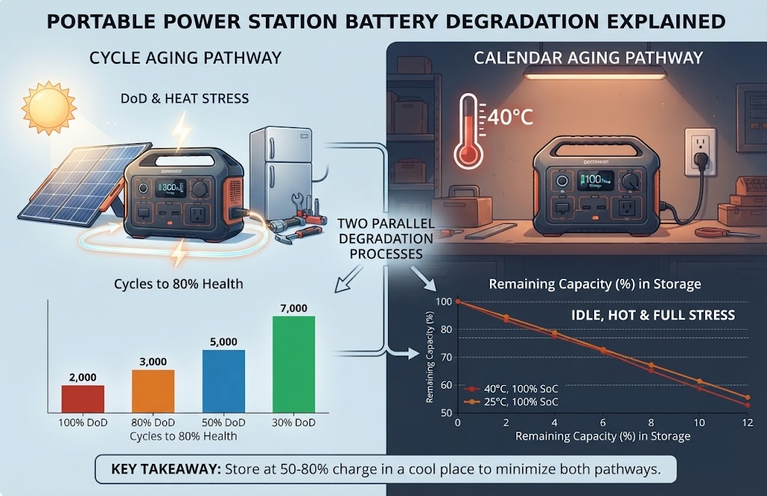
A well-used lithium battery pack can lose meaningful usable capacity over hundreds of charge cycles, and cold ambient temperatures reduce both usable capacity and, in some chemistries, safe charge current. For a device running unattended through an extended outage, treating the runtime table above as an upper bound rather than a guarantee is the safer planning assumption.
Combined Loads Add Up Faster on the AC Path
Because the AC path’s idle overhead is fixed regardless of load, adding a second small device to the same AC outlet is comparatively cheap: the overhead is already being paid. On the DC path, by contrast, each additional device adds its full wattage with no shared overhead to absorb it. This is why the combined 20 W scenario in the table above shows a smaller relative runtime penalty on the AC path than the DC path might suggest at first glance, even though the DC path remains longer in absolute hours in every case shown.
Common Mistakes
Using the Rated Wh as the Usable Wh
A 300 Wh power station does not deliver 300 Wh to a connected device. Depth of discharge margin and, on the AC path, inverter conversion loss both reduce the figure before it reaches the router.
Ignoring Idle Overhead Because the Load Is Small
It is tempting to assume that because a router draws so little power, losses in the power station itself are irrelevant. For this specific load size, the opposite is true. Idle overhead is one of the largest single factors in the calculation, sometimes larger than the router’s own draw.
Wiring a Router to a DC Output Without Checking Voltage and Polarity
Not every 12V-labeled DC output is a guaranteed match for every 12V-rated router adapter. Connector size, center-pin polarity, and actual regulated voltage should be confirmed against the router’s original adapter label or the manufacturer’s documentation before making a direct DC connection.
Forgetting the Modem or ONT
A router with no working internet feed behind it is not useful during an outage. If the internet connection depends on a modem, fiber ONT, or combined gateway, that device’s wattage needs to be included in the load calculation alongside the router itself.
Frequently Asked Questions
Can a small power bank run a router?
A USB power bank can run a router only if the router accepts USB power directly, which most standard home routers do not; the vast majority use a barrel-jack DC adapter at 9V or 12V. A dedicated portable power station with a matching 12V DC output or an AC outlet is the more universally compatible choice.
Does a router need a pure sine wave inverter?
Router power adapters are switched-mode power supplies and generally tolerate modified sine wave output without issue, unlike some motors or audio equipment. A pure sine wave inverter, which most modern portable power stations use, works without concern.
Will running a router drain a power station even when nothing else is plugged in?
Yes, in the sense that any active continuous load will draw the battery down over time, and if the AC outlet is used, the inverter’s idle overhead draws power even beyond the router’s own consumption. This is exactly why the DC output path is more efficient for a load this small.
How much does a mesh Wi-Fi system change the calculation?
Each mesh node adds its own continuous draw, typically 6 to 18 W. A three-node mesh system can draw as much combined power as several routers, which meaningfully shortens runtime compared with a single standalone router and should be added explicitly to the load total rather than estimated as a single router.
Conclusion
A router is one of the easiest loads to size for, since it draws a small, steady amount of power with no meaningful surge. The number that actually determines runtime is not primarily the power station’s rated capacity, but which output path is used. The AC outlet is the most universally compatible option but adds a fixed inverter overhead that can rival the router’s own draw.
The 12V DC output, where the connector, voltage, and polarity genuinely match, avoids that overhead and can extend runtime by 60 to 100 percent from the same battery. For anyone planning backup internet connectivity, checking the router’s adapter voltage and the power station’s DC output specification before an outage happens is worth more than buying a larger battery.
For the underlying concepts behind this calculation, see watts versus watt-hours and how portable power stations work. For sizing a station across multiple household loads at once, including whether continuous or surge rating matters more, see continuous power versus surge power and how to calculate the battery capacity for a portable power station. If a router is one of several devices being planned for during an outage, what size portable power station do I need and portable power station vs UPS cover the broader decision.