Can a Portable Power Station Run a Home Office?
Quick Answer
A mid-size portable power station can run a typical one-person home office (laptop, monitor, router, desk lamp, and light printer standby) for roughly 7 to 8 hours on a 1000Wh unit under a continuous planning load of about 108 W. That figure already accounts for inverter idle draw and the site’s standard 0.80 usable-energy derating factor (approximately 95% depth of discharge multiplied by approximately 85% inverter efficiency).
A larger 2000Wh unit extends that to roughly 14 to 15 hours under the same load. The two variables that change this answer more than any other are how many watts the office actually draws when every device is counted at once, and whether a laser printer or other high-surge device is part of the load.
Why This Question Is Different From a Single-Appliance Runtime
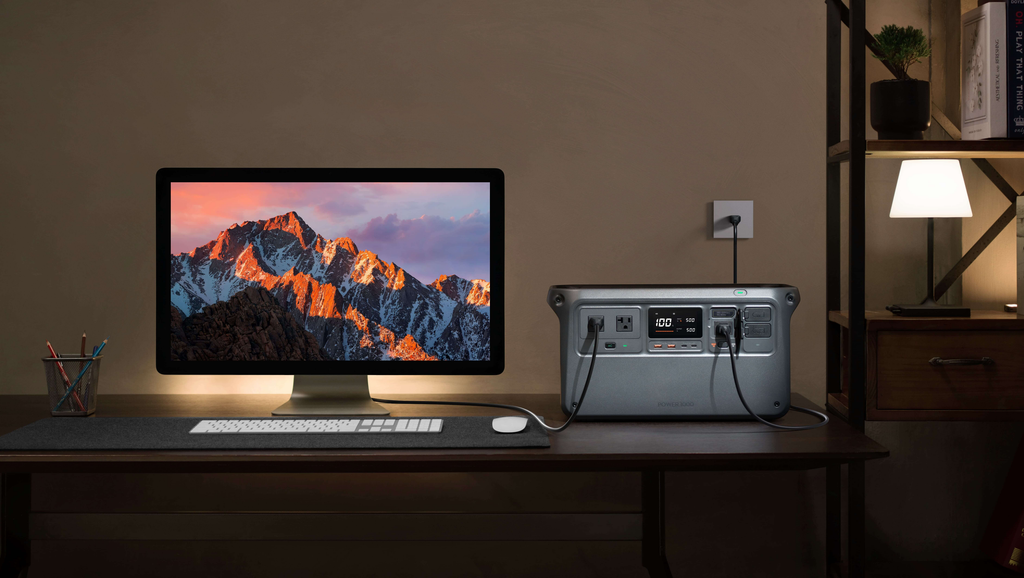
Most runtime questions on this site look at one device: a fan, a router, a refrigerator. A home office is different because it is never just one load. A working desk runs a laptop, an external monitor, a router, a desk lamp, and usually a printer at the same time, for hours at a stretch. The battery does not see these as separate appliances. It sees one continuous, combined draw, plus the inverter’s own overhead for as long as anything is plugged in, a mechanism covered in more general terms in the site’s guide to how portable power stations work.
That distinction matters for planning. A reader who sizes a power station using only the laptop’s charger rating, or only the monitor’s nameplate wattage, will consistently overestimate runtime, because the aggregate load and the inverter’s baseline draw are both being left out. The general methodology for avoiding that mistake is covered in how to calculate portable power station runtime; this article applies it specifically to a multi-device desk.
What a Home Office Actually Draws
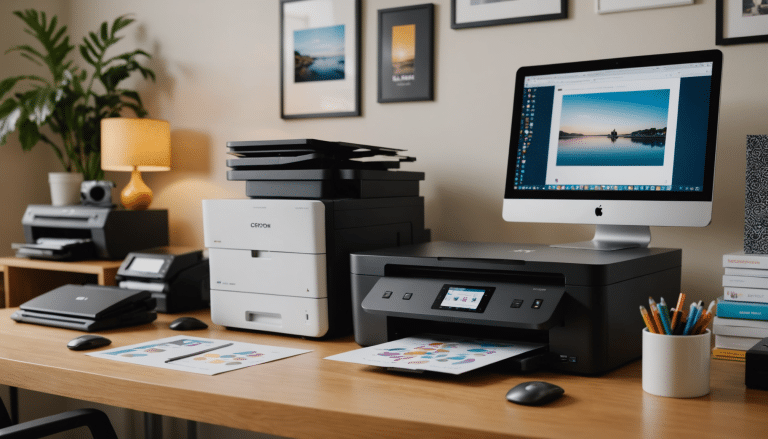
The table below lists planning wattages for a typical single-person home office setup. These are not measurements of a specific desk; they are mid-range planning figures drawn from manufacturer and independent testing data for common device classes, intended for sizing purposes rather than as guaranteed values for any individual unit.
| Component | Typical continuous draw | Notes |
| Laptop (mixed idle/active use) | 30 to 60 W | Ultrabooks sit lower, performance laptops higher; 40 W is a reasonable planning midpoint (see Jackery’s laptop wattage data and Aferiy’s laptop power consumption guide) |
| 24 to 27 inch monitor | 20 to 45 W | Larger or 4K panels draw more; 28 W is a common midpoint for a standard office monitor, per Subinsider’s monitor wattage guide |
| Wi-Fi router | 6 to 12 W | Covered in depth in the site’s router runtime guide; treated here as one line item in the stack |
| LED desk lamp | 5 to 12 W | Varies with brightness setting |
| Webcam, speakers, USB hub | 3 to 8 W | Small but not zero once several accessories are counted |
| Inkjet printer, mostly idle | 2 to 5 W standing by | Active printing briefly reaches 10 to 25 W, per this printer wattage overview; laser printers are a separate case, covered below |
| Inverter idle draw | 10 to 20 W | The inverter draws power to stay on even with a small connected load, per PowMr’s inverter standby power guide and measurements reported on the Victron Energy community forum; 15 W is used as the planning figure here |
Table 1. Planning wattages for a single-person home office load. Figures are typical ranges, not measured values for a specific product.
Adding the midpoint of each row produces a continuous planning load of about 108 W for a full desk running everything at once.
Component-by-Component Load Stack
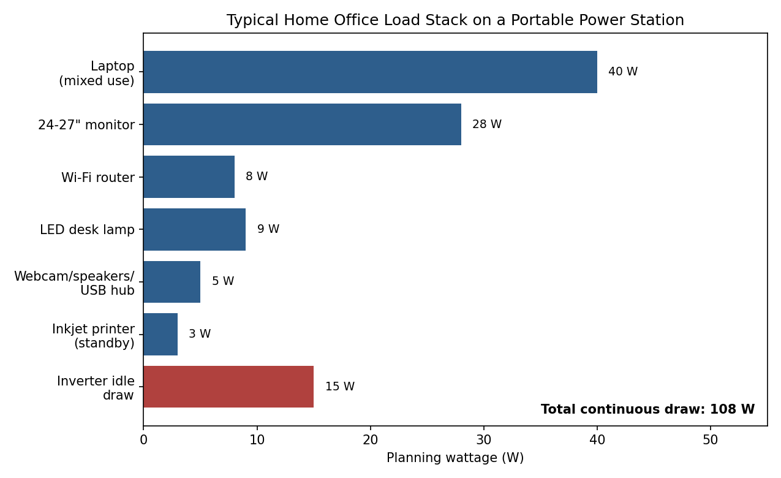
Chart 1. Component wattage stack for a typical home office, including inverter idle draw. Total continuous planning load: 108 W.
The Calculation
Formula
Usable Energy = Rated Capacity (Wh) x 0.80
Runtime (hours) = Usable Energy (Wh) / Continuous Load (W)
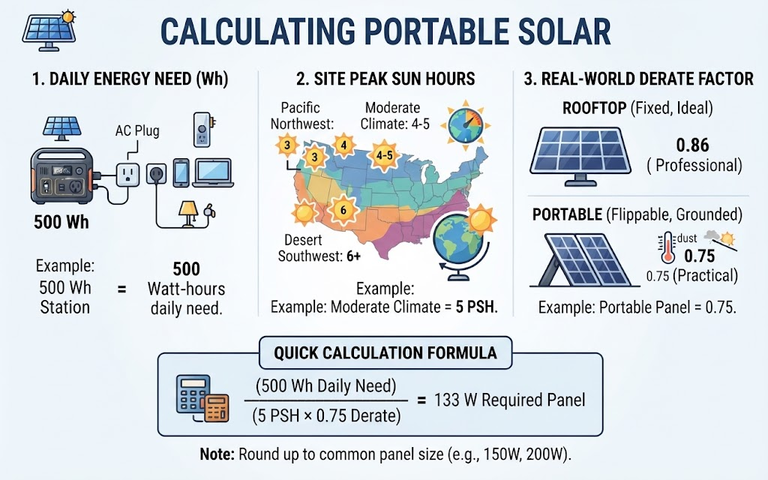
The 0.80 factor is the site’s standard usable-energy planning multiplier: approximately 95% depth of discharge combined with approximately 85% inverter efficiency. It is explained in full, with its own worked derivation, in watts vs watt-hours: what is the difference and how to calculate portable power station runtime.
Worked Example: 1000Wh Power Station
A 1000Wh portable power station is a common mid-size choice for home office backup (see battery capacity for a portable power station for how that rated figure relates to physical cell capacity).
- Rated capacity: 1000 Wh
- Usable energy: 1000 Wh x 0.80 = 800 Wh
- Continuous load: 108 W (full office stack, including 15 W inverter idle draw)
- Runtime: 800 Wh / 108 W = 7.4 hours
A 1000Wh unit therefore covers roughly one working morning or afternoon, not a full eight-hour day, once the aggregate load and inverter overhead are both included. This is noticeably shorter than the runtime a reader gets by dividing 1000Wh by the laptop’s charger rating alone, which is the shortcut that produces most of the overly optimistic estimates seen elsewhere.
Runtime Across Power Station Sizes
The same 108 W load produces a different runtime depending on the rated capacity of the power station. The table and chart below hold the load constant and vary capacity. For guidance on choosing a capacity independent of a specific appliance, see what size portable power station do I need and how to calculate battery capacity for a portable power station.
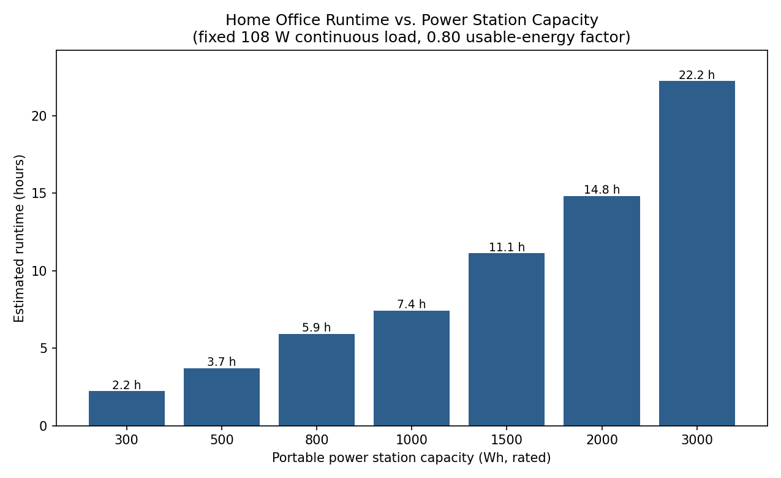
Chart 2. Estimated runtime versus portable power station capacity at a fixed 108 W home office load, using the 0.80 usable-energy factor.
| Capacity | Usable energy (0.80 factor) | Runtime at 108 W |
| 300 Wh | 240 Wh | 2.2 hours |
| 500 Wh | 400 Wh | 3.7 hours |
| 800 Wh | 640 Wh | 5.9 hours |
| 1000 Wh | 800 Wh | 7.4 hours |
| 1500 Wh | 1200 Wh | 11.1 hours |
| 2000 Wh | 1600 Wh | 14.8 hours |
| 3000 Wh | 2400 Wh | 22.2 hours |
Table 2. Runtime scales roughly linearly with capacity once the load is fixed, because the derating factor and load are constant across rows.
A reader who needs to cover a full 8 to 10 hour workday without recharging should plan around a unit in the 1500Wh to 2000Wh class, not a 500Wh or 800Wh unit, unless the office load itself is reduced (see the light scenario below).
How the Load Changes the Answer: Three Scenarios
Capacity is only half the calculation. The load side of the equation swings the result just as much, because a home office is not a fixed appliance with one nameplate rating. It changes depending on what is plugged in and how it is used.
Light: laptop and router only
A reader who unplugs the monitor, desk lamp, and printer and works from the laptop screen with the router alone draws roughly 40 W (laptop) + 8 W (router) + 15 W (inverter idle) = 63 W.
Typical: full desk stack
The full stack described above: laptop, monitor, router, lamp, small peripherals, and an idle printer, totals 108 W.
Heavy: bright monitor plus active printer use
Raising monitor brightness, running a larger secondary display, or including a laser printer that prints periodically through the day pushes the average closer to 148 W. Laser printers deserve a specific note here, covered in the next section, because their impact is not just about average wattage.
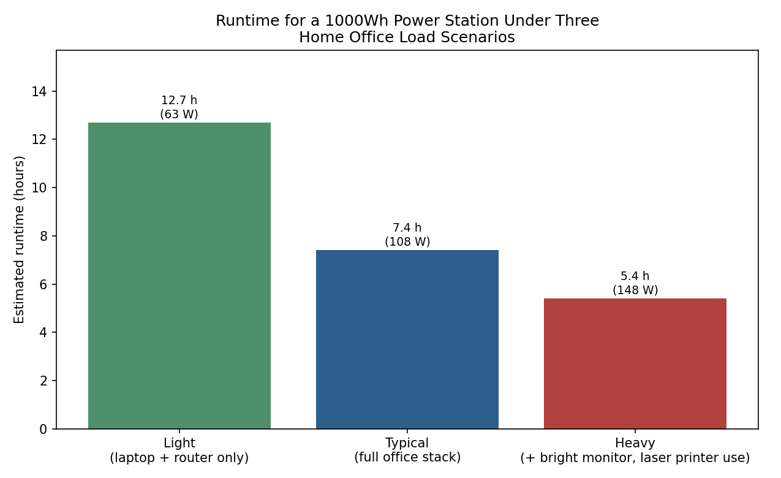
Chart 3. Runtime for a fixed 1000Wh power station across three home office load scenarios.
| Scenario | Continuous load | 1000Wh runtime |
| Light (laptop + router only) | 63 W | 12.7 hours |
| Typical (full office stack) | 108 W | 7.4 hours |
| Heavy (bright display, laser printer) | 148 W | 5.4 hours |
Table 3. The same 1000Wh power station delivers nearly 2.4x the runtime in the light scenario compared to the heavy scenario, purely from load differences.
The Printer Problem: Average Load Is Not the Whole Story
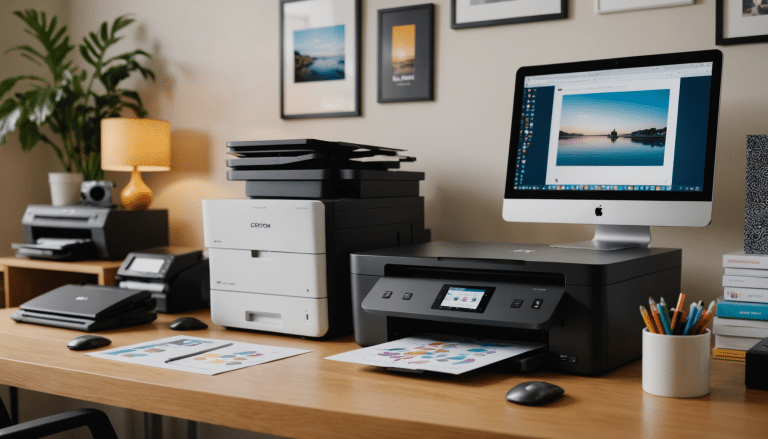
Inkjet printers are relatively easy to plan around. They draw only a few watts while idle and briefly rise to roughly 10 to 25 W while actively printing, occasionally higher for photo-quality output. That short burst has almost no effect on the runtime calculation above.
Laser printers are a different case. Their fuser heater is a resistive heating element, and heating elements do not scale down gracefully. Per this printer wattage overview, a laser printer can draw 300 to 600 W while warming up and printing, and briefly spike toward 1000 W or more during the initial fuser warm-up cycle. Two consequences follow from this, and both are frequently missed in simplified home office sizing advice.
- Continuous power rating matters, not just runtime math (see continuous power vs surge power for how that rating is tested and labeled). A power station with a 300 W continuous AC output cannot run a laser printer at all, regardless of how much energy is stored in the battery, because the printer’s active draw exceeds what the inverter can deliver.
- Average energy consumption matters for runtime, but it depends heavily on print volume. A reader who prints two pages an hour sees a very different average contribution than one running a long print job, so the ‘heavy’ scenario figure above should be treated as illustrative, not as a guarantee for any specific print pattern.
For a home office that must include a laser printer, the practical guidance is to check the power station’s rated continuous AC output against the printer’s rated maximum power draw (usually printed on a label near the power inlet or in the printer’s technical specifications) before assuming any capacity of power station will work.
Common Mistakes When Sizing a Power Station for a Home Office
Mistake 1: Sizing from the laptop charger rating alone
A 65 W laptop charger is rated for the laptop’s maximum draw, not the combined draw of the whole desk. Using it as the only load figure produces a runtime estimate that ignores the monitor, router, lamp, and inverter overhead entirely, typically overstating runtime by 60% or more for a full desk setup.
Mistake 2: Ignoring inverter idle draw because it looks small
Fifteen watts sounds negligible next to a 1000Wh battery, but it runs continuously for the entire session, not just when a device is actively drawing power. Over a 7 to 8 hour workday, that idle draw alone accounts for roughly 110 to 120 Wh, a meaningful fraction of the usable capacity on a smaller unit.
Mistake 3: Treating a laser printer like any other 10 W accessory
As explained above, a laser printer’s surge and continuous power demand is an order of magnitude higher than the rest of the desk combined. It needs to be checked against the power station’s continuous AC output rating specifically, not folded into the average wattage estimate.
Mistake 4: Assuming full-brightness monitor settings
Monitor power draw scales meaningfully with brightness. A monitor run near maximum brightness for glare control can draw close to double the wattage of the same monitor at a moderate office brightness setting, which shifts the typical scenario closer to the heavy scenario above.
Frequently Asked Questions
How long will a portable power station run a laptop and monitor alone, without the rest of the desk?
At roughly 40 W (laptop) plus 28 W (monitor) plus 15 W (inverter idle) = 83 W, a 1000Wh unit delivers about 800 Wh / 83 W, or roughly 9.6 hours. That is close to a full standard workday on the two core devices alone.
Does a desktop computer change this calculation significantly?
Yes. A typical desktop tower draws roughly 200 to 500 W depending on the components, several times more than a laptop. Replacing the laptop with a desktop in the load stack meaningfully shortens runtime and should be recalculated separately rather than assumed equivalent to the laptop figures used here.
What size power station is enough to cover a full 8-hour workday for a typical desk setup?
Using the 108 W typical-scenario figure, an 8-hour runtime requires roughly 864 Wh of usable energy, which corresponds to a rated capacity of about 1080 Wh after applying the 0.80 usable-energy factor. In practice this means a 1200Wh to 1500Wh class unit gives a comfortable margin for a full workday under typical conditions.
Conclusion
A portable power station can comfortably run a one-person home office, but the runtime depends on treating the desk as a combined, continuous load rather than a single appliance, the same principle covered generally in how portable power stations work. For a typical setup of laptop, monitor, router, lamp, and light printer standby, a 1000Wh unit delivers roughly 7 to 8 hours, and a 2000Wh unit roughly 14 to 15 hours, once inverter idle draw and the standard 0.80 usable-energy factor are included.
The load side of the equation swings that answer nearly as much as capacity does: dropping the monitor and printer can extend runtime past 12 hours, while adding a laser printer or a brighter display can cut it well under 6. Reviewing the actual devices on the desk, not just the laptop’s charger rating, is the difference between a realistic estimate and an optimistic one.